
Download arteq – Manage Coffee Machines, Remote Control, Custom Recipes, Coffee Strength, Temperature Settings
Overview
Arteq is a mobile application developed by Stefano Cini Srl, designed to streamline the management of coffee machines through a digital interface. The software falls within the Lifestyle category, specifically targeting users interested in food and drink optimization. Its primary purpose is to enable remote control and monitoring of coffee machines, offering a convenient solution for individuals who value precision and consistency in their daily brews. The app supports adjustments to key brewing parameters such as coffee strength, temperature, and quantity, allowing users to tailor their coffee experience to personal preferences. Additionally, it facilitates recipe customization, enabling users to save and recall preferred settings for different types of coffee.
Arteq is particularly suited for coffee enthusiasts, home baristas, and small business operators managing multiple machines. It simplifies routine tasks like tracking usage patterns and receiving timely alerts for maintenance or low supply levels. These features help prevent downtime and ensure optimal machine performance.
The app is accessible via the Google Play Store and is available at no cost to users. It was released on April 12, 2024, and is currently available for Android devices. While the developer has not provided detailed information about the underlying architecture or integration protocols, the app’s functionality suggests a focus on seamless connectivity between mobile devices and coffee machine hardware.
Key Features & Capabilities
- Remote Machine Control: Adjust coffee strength, temperature, and volume settings from any location with a connected device.
- Custom Recipe Management: Save and recall personalized coffee profiles for consistent results across multiple brews.
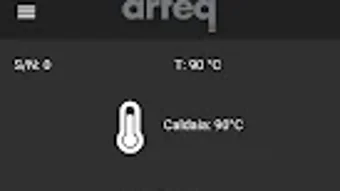
- Real-Time Status Monitoring: View the current operational status of the connected coffee machine.
- Usage Tracking: Monitor how frequently the machine is used and analyze consumption patterns over time.
- Automated Notifications: Receive alerts when maintenance is due or when essential supplies such as coffee beans or water are running low.
These capabilities are especially useful in environments where consistent coffee quality is critical, such as small cafes or home offices. For example, a user can pre-set a morning espresso profile before arriving at work, ensuring the machine is ready with the ideal temperature and strength. Similarly, a home user can check if the machine needs refilling while away from home, preventing disruptions in their routine. The app’s ability to store multiple recipes allows users to switch between different coffee types—espresso, cappuccino, latte—without manual recalibration. This level of customization enhances both convenience and user satisfaction.
User Interface, Workflow & Performance
Arteq features a straightforward and user-friendly interface, designed to minimize the learning curve for new users. Navigation is intuitive, with clearly labeled sections that guide users through settings, recipes, and machine status. The layout prioritizes accessibility, placing frequently used controls within easy reach. Users can quickly access their saved recipes, adjust parameters with simple sliders or input fields, and view real-time feedback on machine performance.
Workflow efficiency is enhanced by the app’s logical organization and minimal steps required to perform common tasks. For instance, switching between saved profiles or initiating a brew cycle involves just a few taps. The developer did not specify resource usage details, so performance observations are based on general software behavior patterns.
However, given its focus on remote device communication and data synchronization, the app likely operates efficiently under standard Android conditions. Stability appears to be a priority, as the app supports ongoing notifications and real-time updates without reported disruptions. No information was provided regarding CPU or RAM consumption, but typical mobile applications of this nature generally maintain low system overhead.
Compatibility & System Requirements
Arteq is designed for the Android operating system and is available exclusively through the Google Play Store. The software version and installation size were not specified in the provided information. Platform compatibility details are limited to Android, with no mention of support for iOS, Windows, or Mac. The developer did not provide exact system requirements, including minimum processor speed, RAM, or storage capacity needed for optimal performance. Compatibility information was partially provided, indicating that the app is intended for mobile devices with internet connectivity and Bluetooth or Wi-Fi capabilities to interface with coffee machines.
Users should ensure their Android device meets the standard requirements for running modern mobile applications. The app’s functionality depends on a stable connection between the mobile device and the coffee machine, suggesting that both devices must be on the same network or paired via compatible wireless protocols. The developer did not clarify whether the app supports all Android versions or if specific versions are required for full functionality.
Pros and Cons
Pros
- Free to download and use, with no hidden costs.
- Intuitive interface designed for ease of use across skill levels.
- Remote control of coffee machine settings enhances convenience.
- Supports customizable recipes for consistent brewing results.
- Provides timely alerts for maintenance and low supplies.
Cons
- Available only on Android, limiting access for iOS users.
- Exact system requirements and performance metrics were not disclosed.
- Functionality is dependent on compatible coffee machine hardware.
- No information provided about offline usage capabilities.
- App availability is restricted to the Google Play Store, with no alternative distribution channels.
FAQ Section
Is arteq available for iOS devices?
Currently, arteq is only available for Android platforms. There is no official release for iOS devices.
Is the app secure to use?
While specific security details were not provided, the app operates through standard mobile app distribution channels and is designed to communicate with coffee machines over secure connections. Users are advised to download the app only from the official Google Play Store.
Does arteq require an internet connection?
Yes, an active internet connection is required for remote control, status updates, and notifications. The app may also rely on local network connectivity when the device and machine are on the same Wi-Fi or Bluetooth network.
How often are updates released?
Update frequency was not specified. Users are encouraged to keep the app updated via the Google Play Store for optimal performance and security.
Can I use arteq without a compatible coffee machine?
No. arteq is designed to work in conjunction with specific coffee machines that support remote management via mobile applications. The app cannot function independently without compatible hardware.
Final Thoughts + CTA
Arteq presents a practical and accessible solution for users seeking greater control over their coffee-making experience. With its clean interface, remote management tools, and customizable recipe storage, the app delivers tangible benefits for coffee lovers and small-scale operators alike. Its free availability and focus on usability make it a compelling choice for Android users invested in precision brewing. While platform exclusivity and limited system details are notable drawbacks, the app’s core functionality remains robust and purpose-built. For those with compatible coffee machines and a preference for digital control, arteq offers a seamless way to enhance daily coffee rituals.
Download arteq now







